8.7.5
2132 Participating Attachment Listing
This report can be used to view Home Visit records that have been attached in ChildPlus
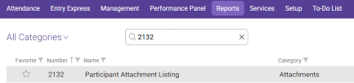
In the Reports tab use the search reports bar to search for 2132 and select 2132 – Participant Attachment Listing
Choose the Appropriate options for your caseload.
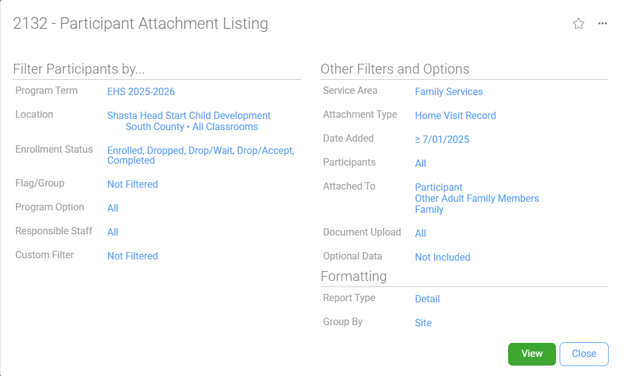
Filter Participants By…
Program Term: EHS/HS & appropriate program year
Location: Shasta Head Start Child Development, Your Site, Your Classroom
Enrollment Status: Enrolled, Dropped, Drop/Wait, Drop/Accept, Completed
Flag/Group: Not Filtered
Program Option: All
Responsible Staff: All
Custom Filter: Not Filtered
Other Filters and Options
Service Area: Family Services
Attachment Type: Home Visit Record
Date Added:
Check Filter by Date Added
Only include attachments added: on or after 7/1 (Current Program Year)
Click OK

Participants: All
Attached To: Check Participant, Other Adult Family Members, Family
Document Upload: All
Optional Data: Not Included
Formatting
Report Type: Detail
Group By: Site
Click the View Button