8.1.4.21
Running The RR01
The RR01 Report is used to monitor data input and completion of the resource/referral and follow up process.
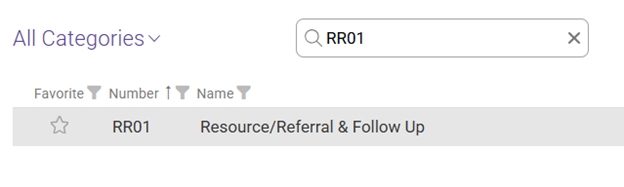
Type RR01 in the Search Reports Box, select the report titled RR01 Resource/Referral & Follow Up.
Enter the following information using the dropdown arrows:
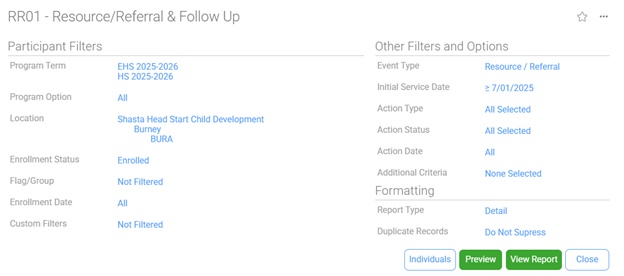
Program/Term – Select HS/EHS of the program year you would like to view
Program Option – ALL
Location – Shasta Head Start Child Development, Your Site(s), Your Classroom(s)
Enrollment Status – Enrolled
Flag/Group – Not Filtered
Enrollment Date – All
Custom Filters – Not Filtered
Event Type – only select Resource/Referral
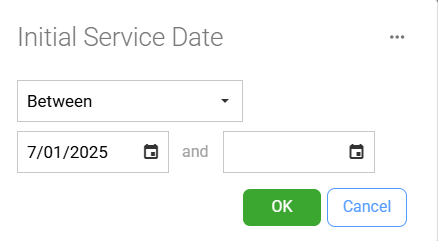
Initial Service Date –Between: Enter the start date as the first day of the program year you would like to view. AND leave the end date section blank, this will then pull up everything up to the day you run the report.
Action Type – Check the All box
Action Status – Check the All box
Action Date – All
Additional Criteria – None Selected
Report Type – Detail
Duplicate Records – Do Not Suppress
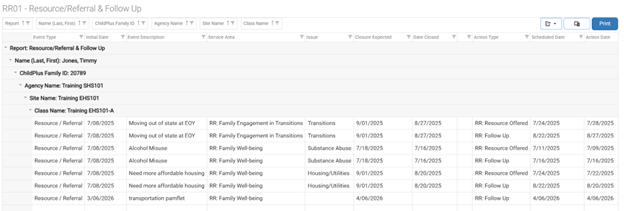
You will be able to view all Resource/Referral and Follow Up entered as Events and Actions. See SOP 8.1.2.6 Documenting Resource/Referral Offered and Follow-Up. All Opportunities for Growth and Interests should have an Event and Actions listing the Resource/Referral Offered and the Follow Up completed.
If looking for only one participant, select the Individuals button, then from the list select the participant you wish to view (optional)
Select View Report