8.1.4.8
3060 – Expired Health Events
Run this report to identify expired health events.
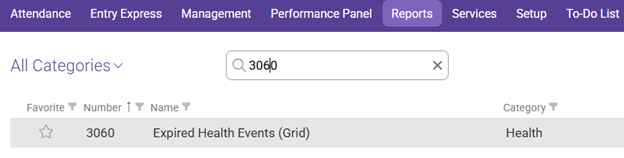
In the Reports tab use the search reports bar to search for 3060 and select 3060 – Expired Health Events (Grid)
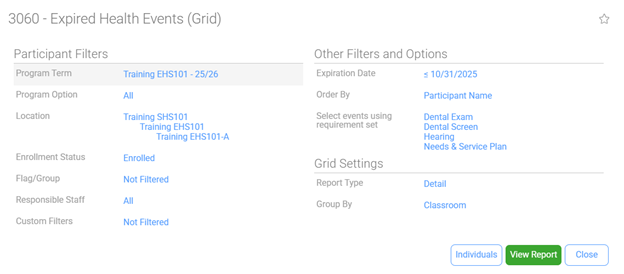
Enter the following information using the dropdown arrows:
Program Term: Select HS/EHS of the program year you would like to view
Program Option: All
Location: Shasta Head Start Child Development, Your Site, Your Classroom
Enrollment Status: Enrolled
Flag/Group: Not Filtered
Responsible Staff: All
Custom Filters: Not Filtered
Other Filters and Options
Expiration Date: On or before the Last Date of the Current Month
Order By: Participant Name
Select Events Using Requirement Set:
Dental Exam (HS Only)
Dental Screen (EHS/FCC Only)
Hearing Needs & Service Plan (EHS Only)
TB Risk Assessment
Physical/WBC
You may select any events from the list but the events above are related to the FW End of Month Summary Report
Grid Settings
Report Type: Detail
Group By: Classroom
Select Individuals if needed to only view data regarding chosen participants
Click View Report
Always Preview your report before Printing.