8.1.4.14
9703 – Race & Ethnicity
In the Reports tab use the search reports bar to search for 9703 and select 9703 – Race & Ethnicity

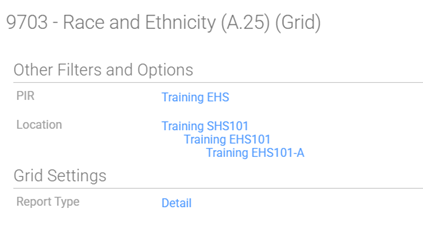
Choose the Appropriate options for your caseload.
PIR: EHS/HS & appropriate program
Location: Choose Shasta Head Start Child Development, choose your center/class
Report Type: Detail
Click the View Button
Reading the 9703 – Race & Ethnicity
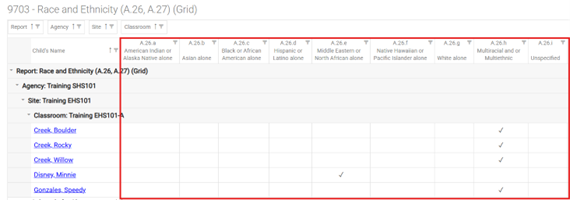
Scroll through your classroom and ensure every participant has at least 1 checkmark in their row (rows are from left to right) (A.26.a – A.26.i)