
8.1.6
Family Service Staff Performance Panel
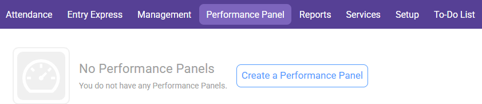
Navigate to the Performance Panel Module

Select “Create a Performance Panel” or if you already have a Performance Panel, select “Add Performance Panel”
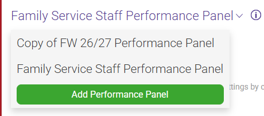
Select “start with a blank Performance Panel” then Select “Ok”
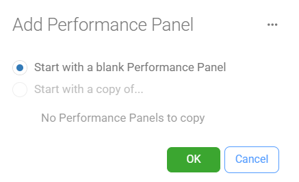
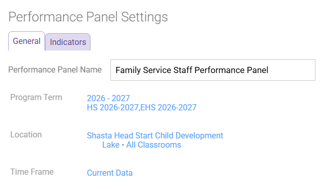
Performance Panel Settings:
General
Performance Panel Name: Family Service Staff Performance Panel
Program Term:
School Year: Current Year
Program Terms: Use the Dropdown Menu to select HS and EHS Current Year
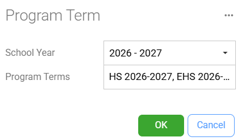
Click OK
Location: Use the Drop down arrows to select Shasta Head Start Child Development (Your Site(s), your Classroom(s)
Click OK
Time Frame: Select Current Data
Click OK
Select the Indicators Tab, then select the Add Indicator Button

Use the Scroll down window and select each of the following from the list
Attendance
Chronic Absence
Consecutive Unexcused Absences
Disability
Disability Concerns
Next IEP/IFSP
Participants with IEP/IFSP
Enrollment
Drops
Enrollment
Enrollment Potential
Income Status
Health
Dental Home
Health Coverage
Medical Home
Click OK
Click Save