
8.1.7
Viewing Custody/Court Doc Attachments in CP
Select The Participant from the Participants List In the Services Tab
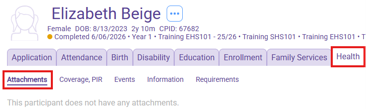
Select the health tab, then select the Attachments section as shown below
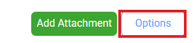
Click on the Options button on the right, then in the Attachment Options window, select All service areas
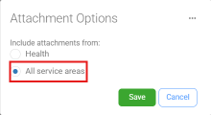
Click Save
Click on the Service Area column to order attachments by type, scroll down until you see the Miscellaneous Service Area files, and select the court docs you are trying to view.

After clicking on the attachment, you want to review, click the View button on the left side of the window

Click Cancel when you are finished viewing the document