
8.1.2.5.1
Entering the Family Assessment and FPA (Family Goal) as Health Event
The Family Assessment and Family Goal completed by Family Services staff and are due within 90 days of the child’s entry date.
Select The Participant from the Participants List In the Services Tab, select the Health Tab, and then select the Events section
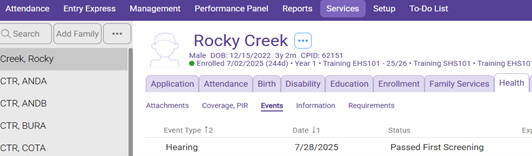
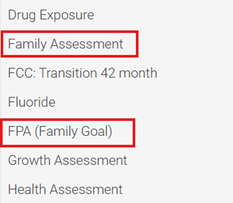
Click “Add Event” and select Family Assessment or FPA (Family Goal) from the dropdown menu.

Scheduled Date: Leave blank
Event Date: Enter date the screening was completed
Status: Enter the appropriate status code:
Complete: if the Family Assessment or the Family Goal were created within 90 days of a child’s “Entry” date.
Non-Compliance: If the Family Assessment or Family Goal was not created within 90 days of the child’s “Enrollment” date. (See S.O.P 8.1.1.3 Documentation of Non-Compliance Entry)
Description: Family Assessment or FPA (Family Goal)
Agency Worker: Ensure the Family Service Staff’s name is indicated.
Click Save