
8.1.1.7
Entry Express
Use this tab to enter Meal Counts/Atttendance (See Page ) and/or Health Events

Program Term: “Your Program” (EHS/FCC/HS) and current program year
Agency: Shasta Head Start Child Development, Inc or EHS-CC Partnership
Site: “Your Site”
Classroom: “Your Classroom” (if you have multiple classrooms, see “Advanced Setup”)
Status: Enrolled Click Find
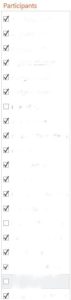
Participants: Select the children on the list who were screened
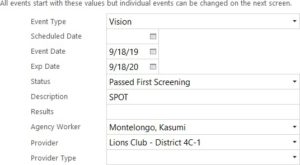
Event Type: Choose the Event you are entering
Exp Date: Hearing and vision expire a year after the event date All other events that you would be entering have no expiration date
Status: Choose “Passed First Screening” You will be able to modify each child on the next screen
Description: See the event page to see what needs to be entered
Results: Leave blank you can put in each child’s results in the next screen
Agency Worker: Ensure the Family Service Worker’s name is displayed
Click next step and make the individual modifications as needed and click Create Events