8.1.4.17
9708 – Dental Services
Run this report to ensure you have indicated your children’s dental home status.
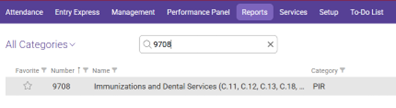
In the Reports tab use the search bar to search for 9708 then select 9708 Dental Services.
PIR: 01 “Program Year and current month”
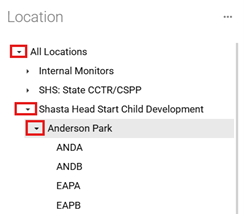
Location: Shasta Head Start Child Development, “Your Site”, “Your Class” (Dropdown Menu)
To select your site and classroom, start by clicking on the arrow to the left of Shasta Head Start Child Development. This will open the list of locations. Click the arrow to the left of the location and select the classroom from the dropdown menu.
Report Type: Detail
Screen should look as follows-
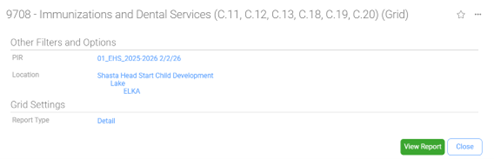
Click View Report
Always Preview your report before Printing.
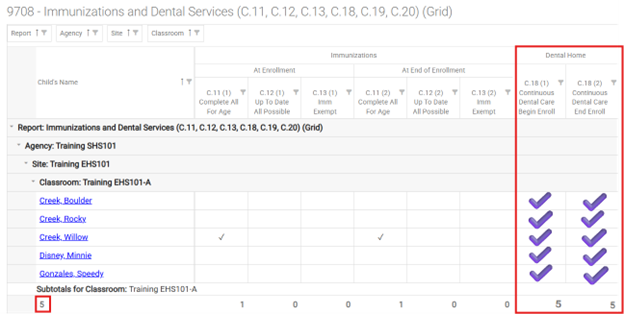
Ensure that every participant has a check mark in the highlighted boxes below.
Ensure there is a check mark for Continuous Dental Care at Beginning of Enrollment, Continuous Dental Care at End of Enrollment
Ensure that the PIR total count is the same as the “Subtotals for Classroom” count, if not, look for missing checkmarks to see what question needs an answer.