8.1.4.3
2125 – Participant Report
ChildPlus Report 2125 is a roster of children enrolled in specific classrooms.
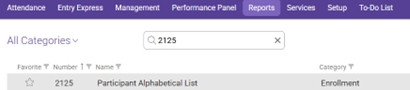
In the Reports tab use the search reports bar to search for 2125 and select 2125 – Participant Alphabetical List
FILTER PARTICIPANTS BY…
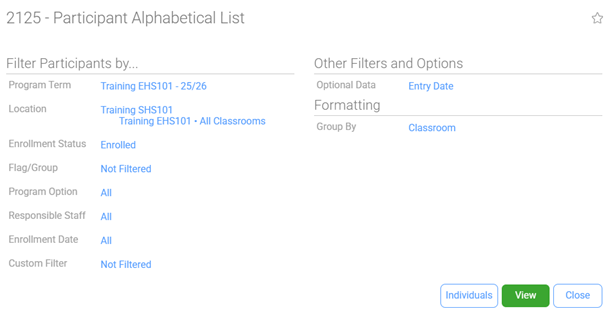
Program Term: Select HS/EHS of the program year you would like to view
Location: Shasta Head Start Child Development, Your Site, Your Classroom
Enrollment Status: Enrolled
Flag/Group: Not Filtered
Program Option: All
Responsible Staff: All
Enrollment Date: Enrollment Date is Between 7/1/(program Year) and (Leave Blank)
Custom Filter: Not Filtered
OTHER FILTERS AND OPTIONS
Optional Data: Check Show Entry Date
FORMATTING
Group By: Classroom
Select Individuals if needed to only view data regarding chosen participants
Click View
Always Preview your report before Printing.