8.1.4.18
9730 – Parents/Employment/Job Training, Education
In the Search Reports tab enter 9730 and select 9730 – Parents/Employment/Job Training, Education

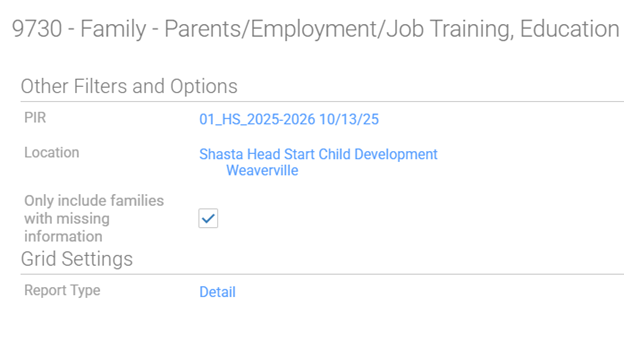
Choose the Appropriate options for your caseload.
PIR: 01: (Your Program Term)
Location: Shasta Head Start Child Development, Your Site, Your Classroom
Only Include Families with Missing Information: Check
Report Type: Detail
Click View Report
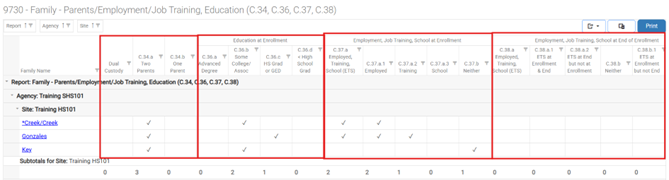
Reading the 9730 – Parents/Employment/Job Training, Education
If after running the report you get the message “no data”, this means there is no missing data, all participants in the class have their answers filled out for their PIR Employment/Job Training and Education information.
If you do see data, the displayed participants are missing answers to questions, to solve this look over each participant and ensure each of them have one check mark in each quadrant of their row.