
8.6.01
AD Print Enrollment Packet
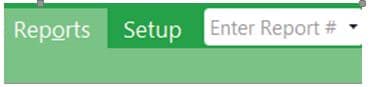
1. Enter AD in the “Enter Report #” box.
2. Select the appropriate enrollment packet you need to print:

3. Choose the Appropriate options for your caseload:
a. Program Term: EHS/HS/CC-Partnership & appropriate program year.
b. Agency: Choose Shasta Head Start Child Development or EHS-CC Partnership
c. Choose your center
d. Choose your classroom
e. Status: Check Accepted & Enrolled
f. Group: None
g. Sort Participants By: Last Name

4. Click on Individuals tab

5. Uncheck the box next to All
6. Check the child(ren) you want to print an enrollment packet for.
7. Click Preview. Always Preview before printing.
8. Click Print. Be sure to print double-sided and in color.