
7.3.2.3
Payroll Adjustment
Payroll Adjustment
Report all payroll errors to your direct supervisor immediately. Payroll adjustments can be paid immediately via a pay card or on the next payroll processing as requested by the employee once the required documentation has been received by the Accounting Specialist.
Payroll Adjustment Form
All payroll errors will be corrected using a Payroll Adjustment Form. The form will be filled out by the employee’s Manager to document the requested adjustment.
- Fill in the employee’s name, discrepancy date, and description
- Select the type of payroll adjustment needed and when the payroll adjustment will be paid
- Make the necessary edits to the employee’s timecard and attach copies before and after edits have been made
- Obtain the required signatures. If a digital ID signature is used, a copy of your digital ID serial number must be submitted to the Fiscal department
- Submit to the Accounting Specialist for processing
Payroll Adjustment Form – Timecard edits
All payroll adjustments (except PTO Cash Out) should be made on the employees’ timecard.
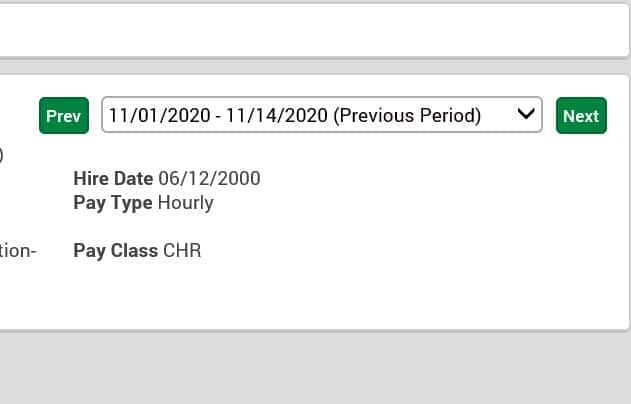
- Use the dropdown menu to select from the available PREVIOUS PERIOD. Payroll adjustments cannot be made to an ARCHIVED PERIOD
2. Print the timecard before making any edits
3. For previously approved periods, the approval must be removed before adjustments can be made. More than one PREVIOUS PERIOD may need the approvals deleted based on the date of the payroll that requires adjustments
4. Click the trash can to delete the approval on the selected period

5. Make any necessary edits so the timecard and payroll adjustment form match
6. Print the edited timecard
7. Approve the timecard
8. Submit the payroll adjustment form with the required documentation and signatures to the Accounting Specialist for processing