
Enter ASQ3 or ASQ:SE in Child Plus
Enter ASQ3 or ASQ:SE in Child Plus
Entry of ASQ-3 or ASQ:SE in Child Plus allows the program to track completion and follow up to screeners.
- On the Services tab, in the Participants list, click the relevant person’s name.
Note: If the participant is not included in the list, click the Change List button. Alternatively, use the Search field above the list to locate the child.
- Click the Health
- Click the Add Event (click the Events tab if not already selected)
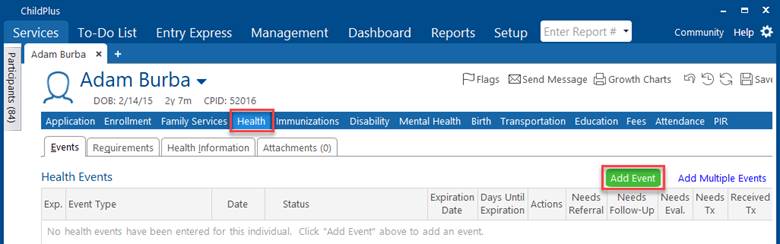
- In the Add Health Event popup window, select Develop EHS (ASQ3), Develop HS (ASQ3) or Mental Health (ASQSE) from the list of health events and click OK.
Note: Select the appropriate option as needed. In this document, the Develop EHS (ASQ3) option is selected. The steps described below are the same regardless of which option is selected.
- Select Develop EHS (ASQ3) for children enrolled in EHS
- Select Develop HS (ASQ3) for children enrolled in HS
- Select Mental Health (ASQSE) for children in EHS or HS

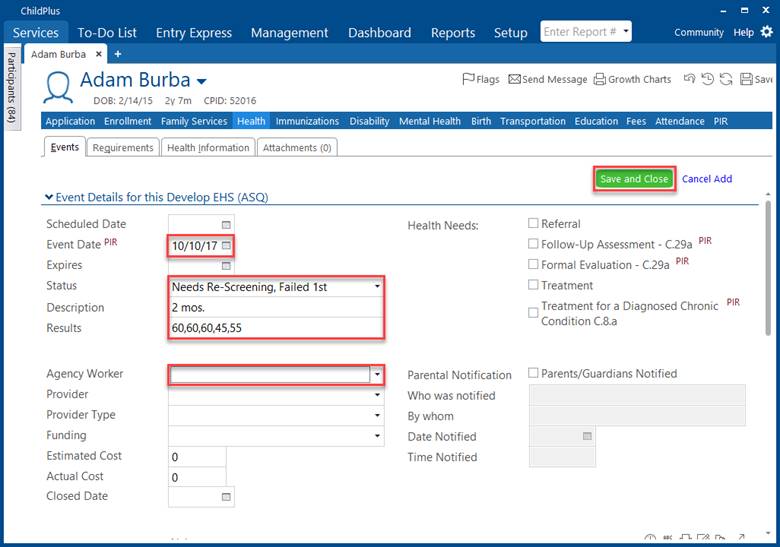
- Enter the event details for this Develop EHS (ASQ3) event including:
- Event Date (PIR) – enter the date the ASQ-3 was completed
Note: Fields indicated with PIR are used in PIR reporting. In most cases these are required fields
- Status – select Passed First Screening (white), Needs Re-Screening (gray), or Failed 1st Screening (black) based on the outcome of the screener (Colors refer to the chart on the summary page of the ASQ-3). In treatment Process may be selected if the child scored as Needs Re-Screening or Failed 1st Screening and is already receiving services for that area. The child does not need to be rescreened if they are receiving services.
- Description – enter the type of screener. (Ex: 2 mos.)
- Results – enter score of each area, separated by commas (Ex: 60,60,60,45,55)
- Agency Worker – select the Family Worker or Home Visitors name
- If the child Passed First Screener or is In Treatment Process, click Save and Close. If the child Needs Re-screening or Failed 1st Screening, click Save and Close and continue to Adding Action directions below.
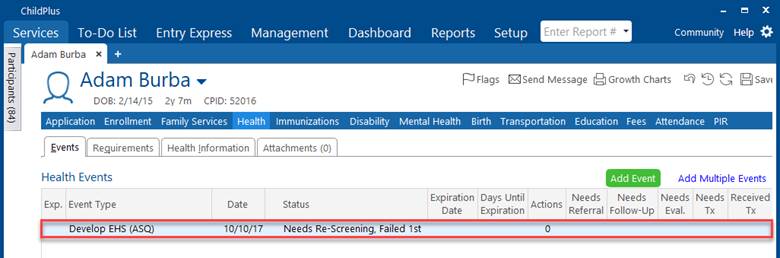
The new Health Event is now listed on the Events tab.
Adding a scheduled Action for Rescreen or Fail
When a child needs to be re-screened or fails the ASQ-3 the event must be followed up on within 30 days of the event date. Performance Standards require that programs promptly and appropriately address any needs identified through child screening.
To enter follow-up details, select the participant and navigate to the Health tab. Then, click the Events tab and select the Event for which an action is to be added.
Then, follow the steps below:
- Scroll down to the Actions Associated with this Develop EHS (ASQ3)
- Click the Add Action button to enable the related fields.
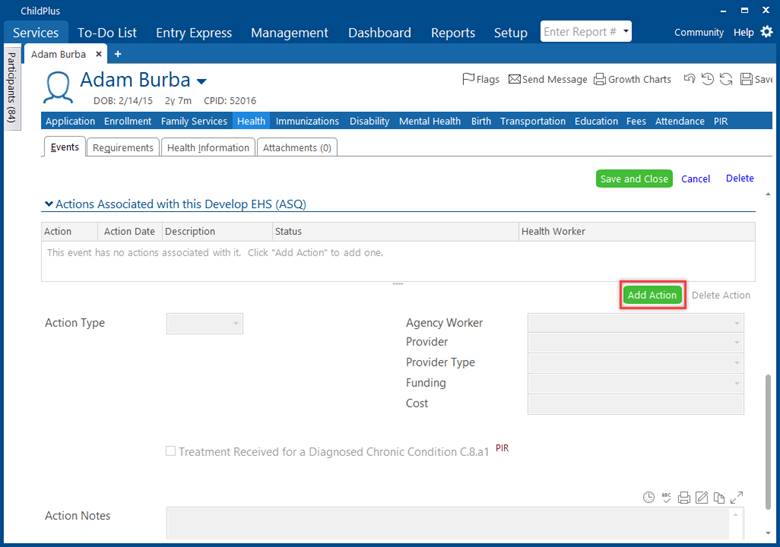
- Enter the action details including:
- Action Type – select Follow up
- Scheduled Date – enter the date that is 30 days from the original event date
- Description – enter a description of the action. Ex: Rescreen 2 mos or Referral
- Agency Worker – select Family Worker or Home Visitor name
- Action Notes – enter any additional notes as needed.
- Once the action details are entered, click the Save and Close button to save the action and return to the Events tab.
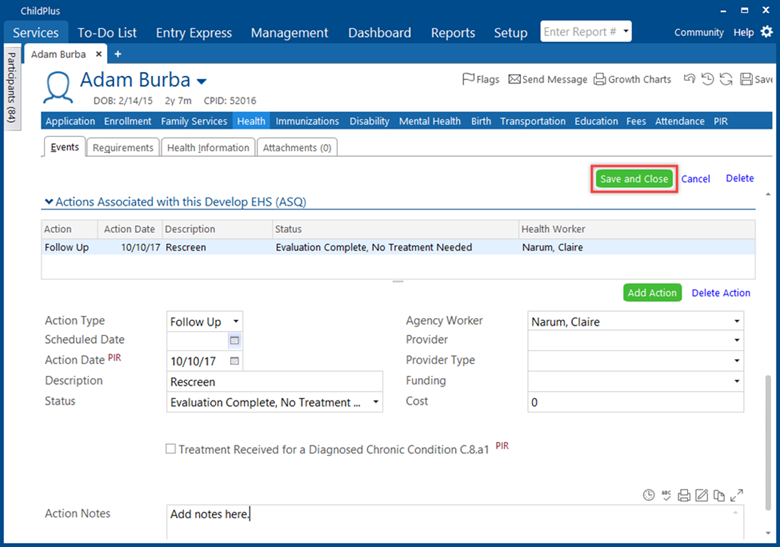
To enter completed follow up, select the participant and navigate to the Health tab. Then, click the Events tab and select the Event for which the follow up has been completed.
Then, follow the steps below:
- Scroll down to the Actions Associated with this Develop EHS (ASQ3) section.
- Select the scheduled Action.
- Enter the action details including:
- Action Date (PIR) – enter the date of the rescreen/monitor This field should be entered after the follow up has been completed. Entering the action date will automatically fill the Follow-Up Assessment – C.29a PIR box in the related event.
- Status – Select the results of the re-screen or referral.
- Re-screen Ex: Evaluation Complete, No Treatment Needed (white) or Referral, Failed 2nd Screening (gray or black),
- Referral Ex: Parent Refused Treatment (referral was denied by parent), or Needs Observation (Failed 1st screening and parents signed referral)
- The action details are shown under the Actions Associated with this Develop EHS (ASQ3)
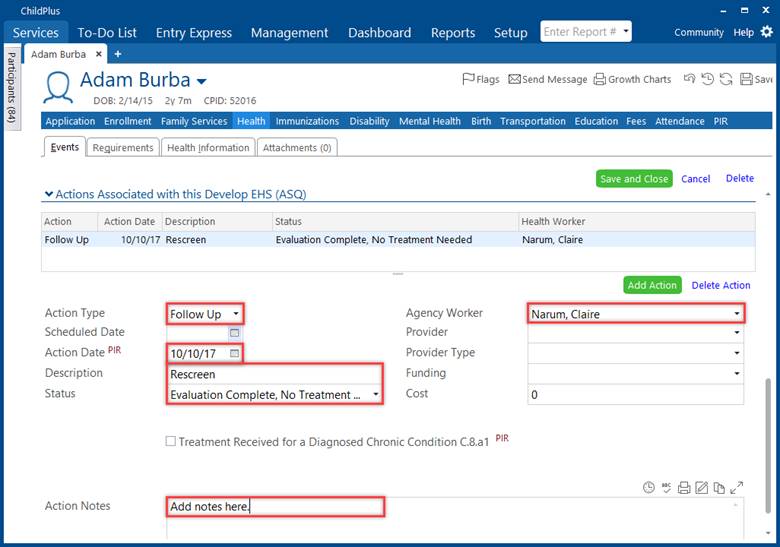
- Once the action details are entered, click the Save and Close button to save the action and return to the Events
The Health Event Develop EHS (ASQ) is listed on the Events tab and the Actions column indicates the number of related actions for the event (1).
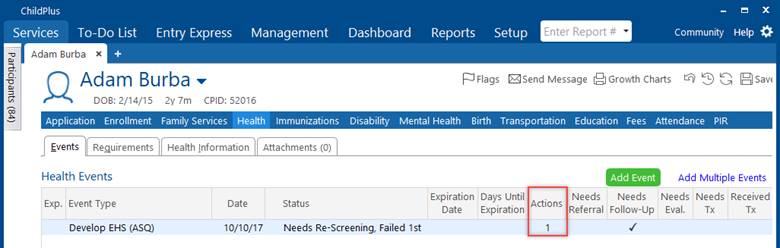
If finished, close the participant record.