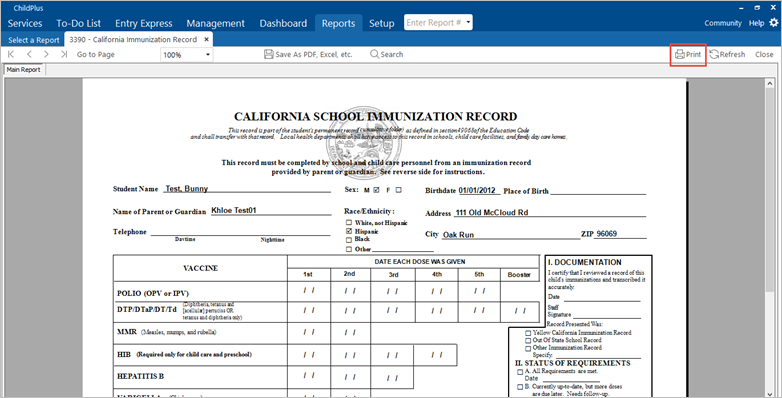
Print the California State Immunization Record (Blue Card)
Print the California State Immunization Record (Blue Card)
The California State Immunization Record (CSIR), sometimes called the Blue Card because it is printed on blue paper, is kept in the Child File and is updated regularly.
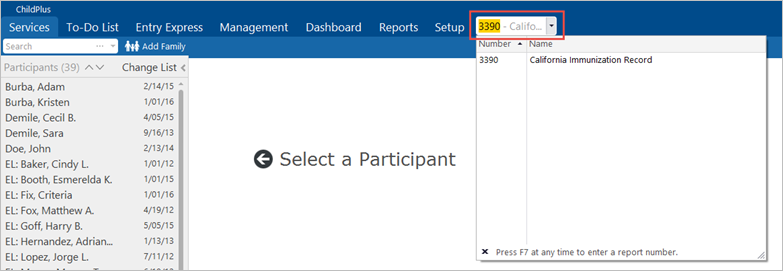
- In the Enter Report Number field to the upper right of the screen, type “3390” and press Enter.
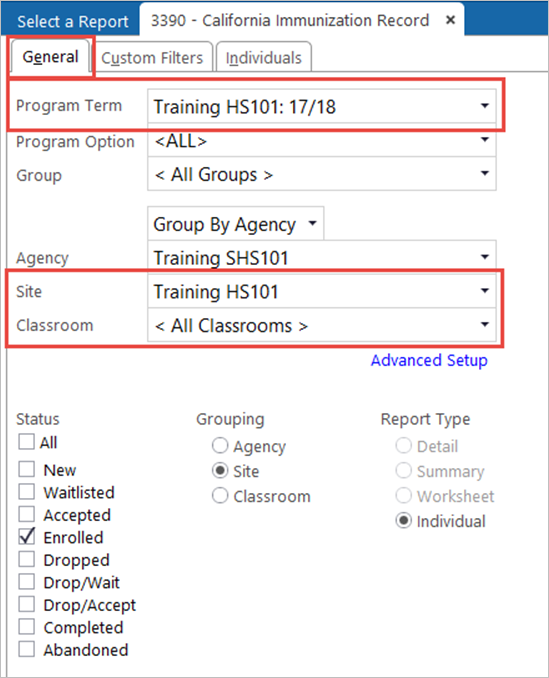
- On the General tab, select the relevant Program Term.
- Select the relevant Site.
- Select the relevant Classroom.
- Click on the Individuals
- In the upper right corner, deselect the All
- Select the child(ren) for whom you will print the records. From this tab only, click Preview.
Note: If you click the Preview button from another tab, the card displays for all children, even if you have deselected the All checkbox.

- Ensure that the printer is loaded with blue paper before printing the cards.
- Click Print.