
Enter and Update Health Insurance Information
Enter and Update Health Insurance Information
- On the Services tab, in the Participants list, click the relevant person’s name.
Note: If the participant is not included in the list, click the Change List button. Alternatively, use the Search field above the list to locate the child.
- On the participant’s record, click the Health
- Click the Health Information
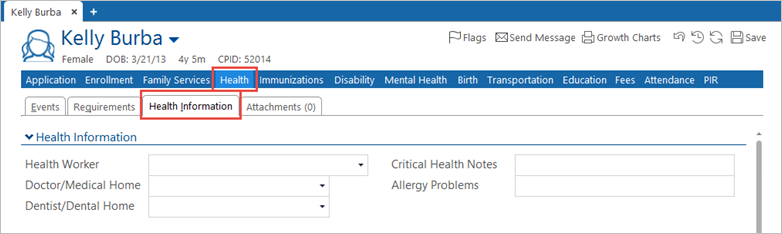
- Scroll down to the PIR
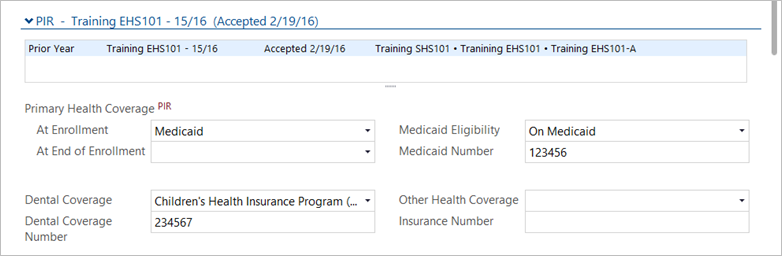
- Click on Current Year PIR record for EHS, HS or FCC. Do not enter data on State record.
- Complete the Primary Health Coverage At Enrollment, At End of Enrollment, Medicaid Eligibility, Medicaid Number, Dental Coverage, and Dental Coverage Number
- Scroll down to the Did the Child section, and select the answers to the questions in both the At Enrollment and At End of Enrollment
Note: Receive preventive dental care is entered by the Health Clerk.

- At the top right of the screen, click the Save