
Enter Immunization Information
ChildPlus Instructions >
Enter Immunization Information
- In the My Participants list, click the relevant child name.
Note: If the participant is not included in the list, click the Change Who Appears in This List button. Alternatively, use the Search for Family Members field to locate the child.
- Click the Immunizations
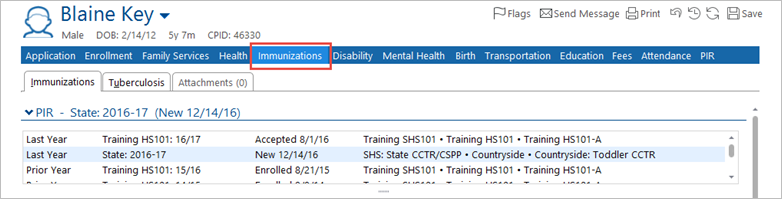
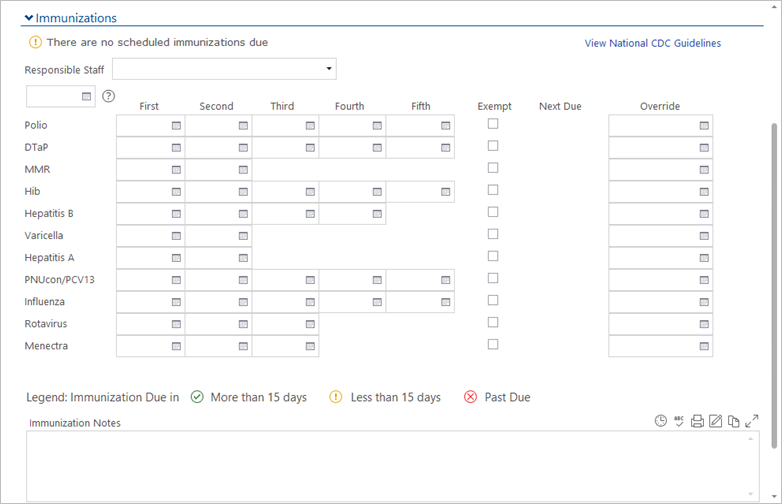
Next, you will enter the dates of the immunizations in the fields provided.
- Next to the relevant immunization, enter the dates the vaccines were given.
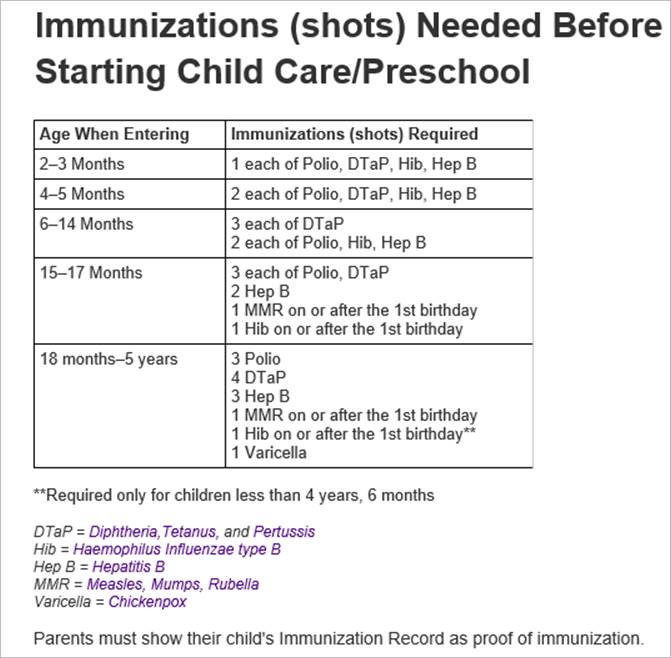
Note: Refer to the table below the screen shot for information about which immunizations are due at different ages.
- Once the immunizations have been entered, you need to print the California State Immunization Record (CSIR). [Link to CP: CP-Print the California State Immunization Record (Blue Card)]