
9.0.6
California Early Care and Education Workforce Registry
In order to create a Registry account, you must have an email address.
Here is the link to the website: California Early Care and Education Workforce Registry. Follow these steps to create an account & submit your registry ID:
- On the home page, click Create a Profile

- Enter the necessary information. You do not have to enter your Social Security number to create a profile.
- Verify your account by clicking the verification link that is emailed to you. Check your spam/junk folder if you do not see it within 3-5 minutes.
- Once your account is verified, login.
- To find your Workforce Registry ID, click View/Update Personal Profile.
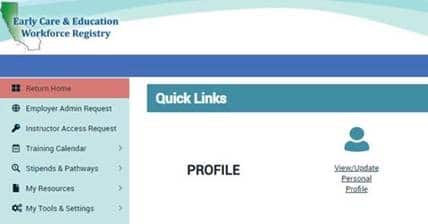
6.Once you have your Workforce Registry ID, email it to Hunter at hashmun@shskids.org.